QMS for ISO 9001 and IATF 16949

The quality system that keeps itself up to date.

ISO 9001 and IATF 16949. Revisions, deadlines, approvals, confirmed reading, without Word, without Excel, without one person keeping the files in sync. And the steps that matter at the audit cannot be skipped.

No card · 14 days with Standard entitlements · Leave anytime

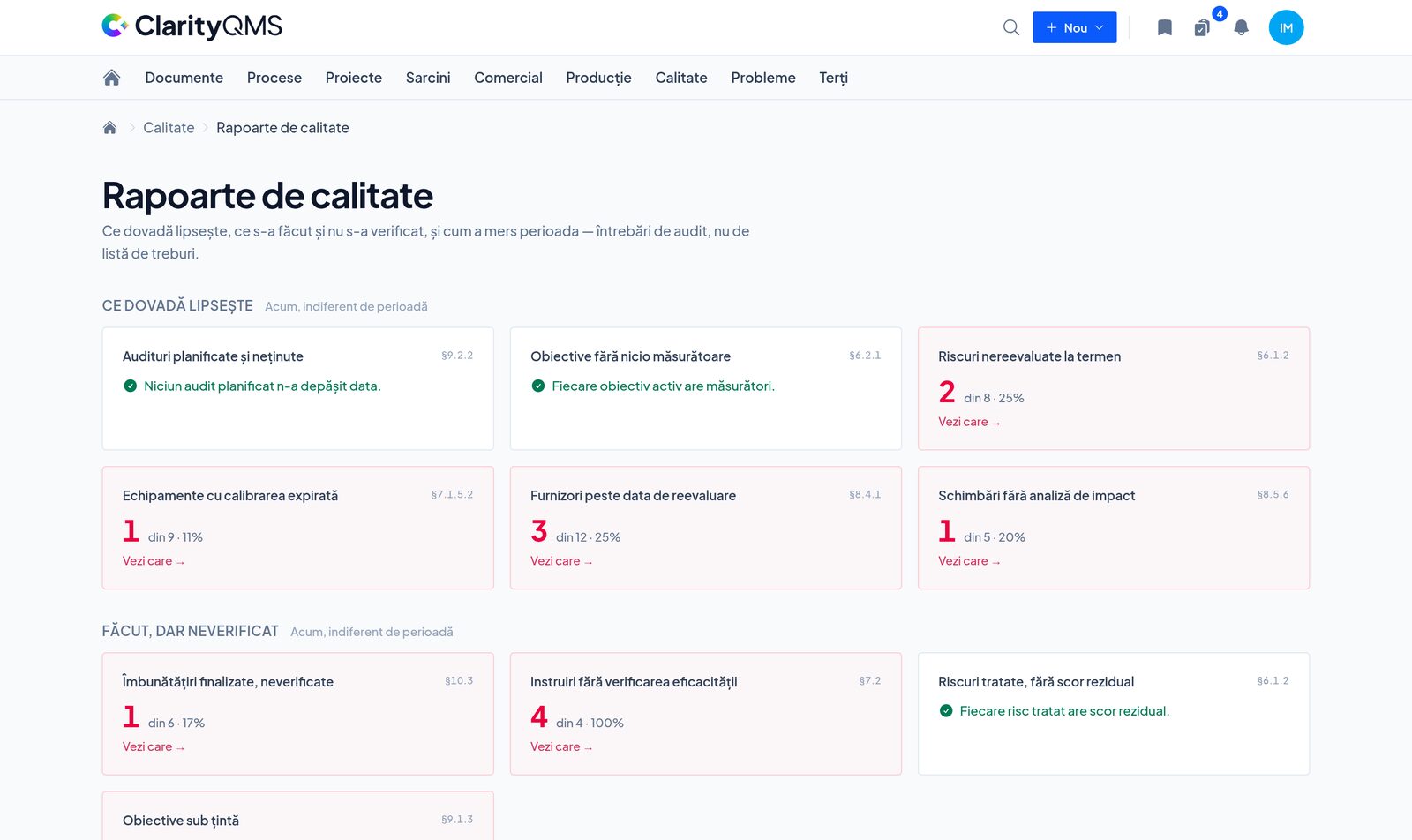
clarityqms.com/your-plant/quality/reports
The quality report: which evidence is missing, with the standard's clause next to every figure

The problem

This is how quality documentation is kept today.

A procedure changes in eight steps, across three files. The Word file, the revision number, the revision table, the master list, the distribution list, the signatures, the copies on the shop floor, the e-mail. Any step skipped is an audit finding.

The version in force is on the server, in an e-mail, on a USB stick and printed on the shop floor. They are not the same. “I think Vasile had the latest one.”

Nobody opens the e-mail with the change. You have no proof anyone read it, and the auditor asks the operator, not you.

The deadlines live in an Excel sheet: document reviews, objectives, risks, suppliers, calibrations, trainings. You open it to find out you are already late.

The result: one person paid to keep files in sync, and a company that depends on them.

The difference

The standard is in the app, not in your discipline.

A document system stores. Clarity knows what the standard requires and does not let you skip the steps the auditor looks for.

You cannot approve your own document.

The Accountable role approves. Rejections and change requests carry a comment and a history.

You cannot confirm you read it without opening it.

Confirmation is per version. A new revision asks for reading again.

You cannot approve a change without an impact analysis.

The button refuses until it is written.

You cannot verify your own corrective action.

The named verifier checks, and verification requires a written result.

An 8D sent to the customer never changes again.

Every revision has a number and a reason. What you sent stays as you sent it.

Equipment that fails calibration goes out of service by itself.

The due date does not move. Nobody measures with it until a good calibration.

A new account does not start on a blank page: template processes, procedures, objectives and risks, and an in-app lesson for every register, saying what it is, what it is not, and what mistakes the auditor writes down.

What changes

Six things you no longer do by hand.

A procedure revision is one button.

Today
Eight steps, three files, an afternoon.
In Clarity
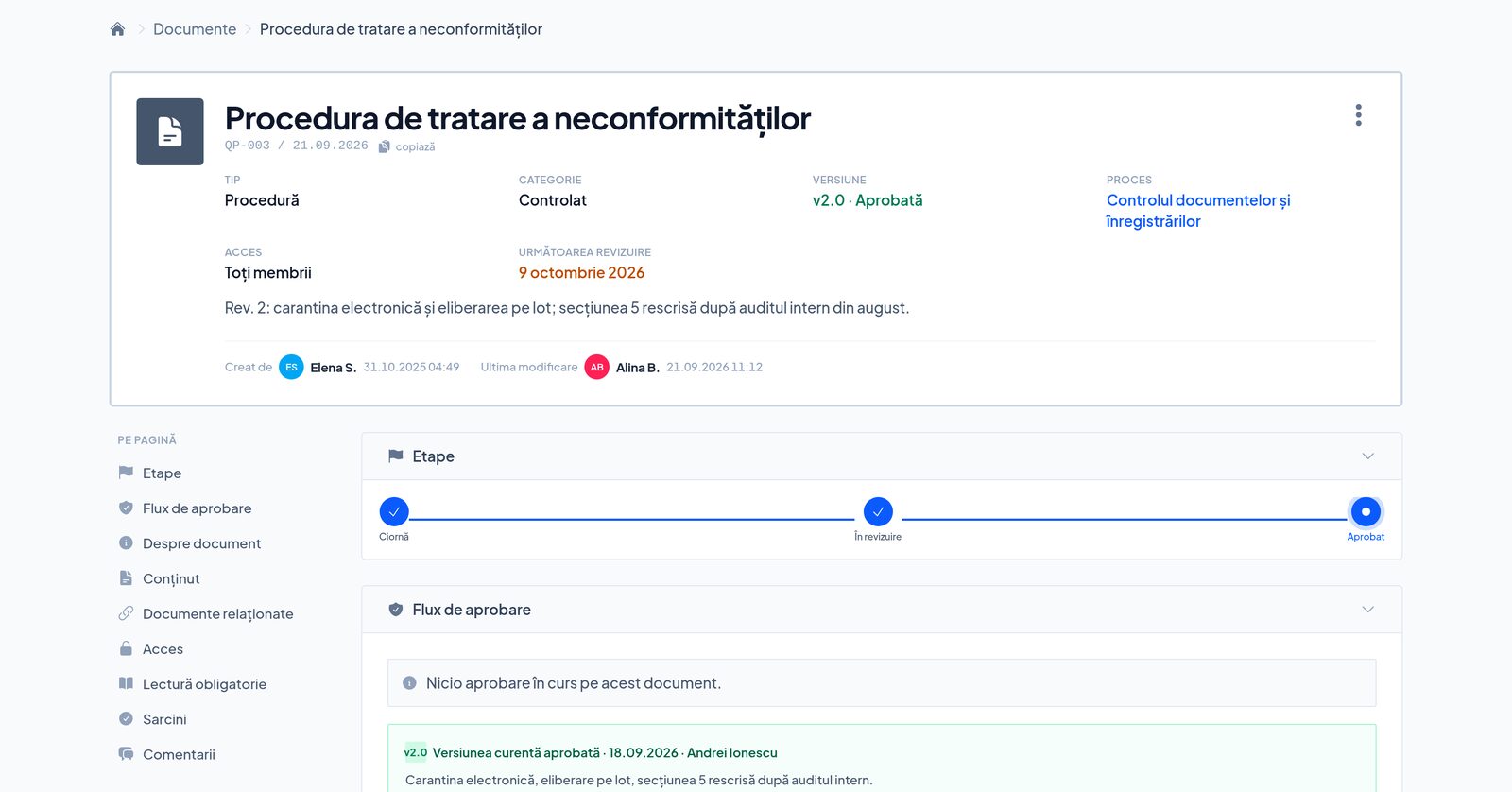
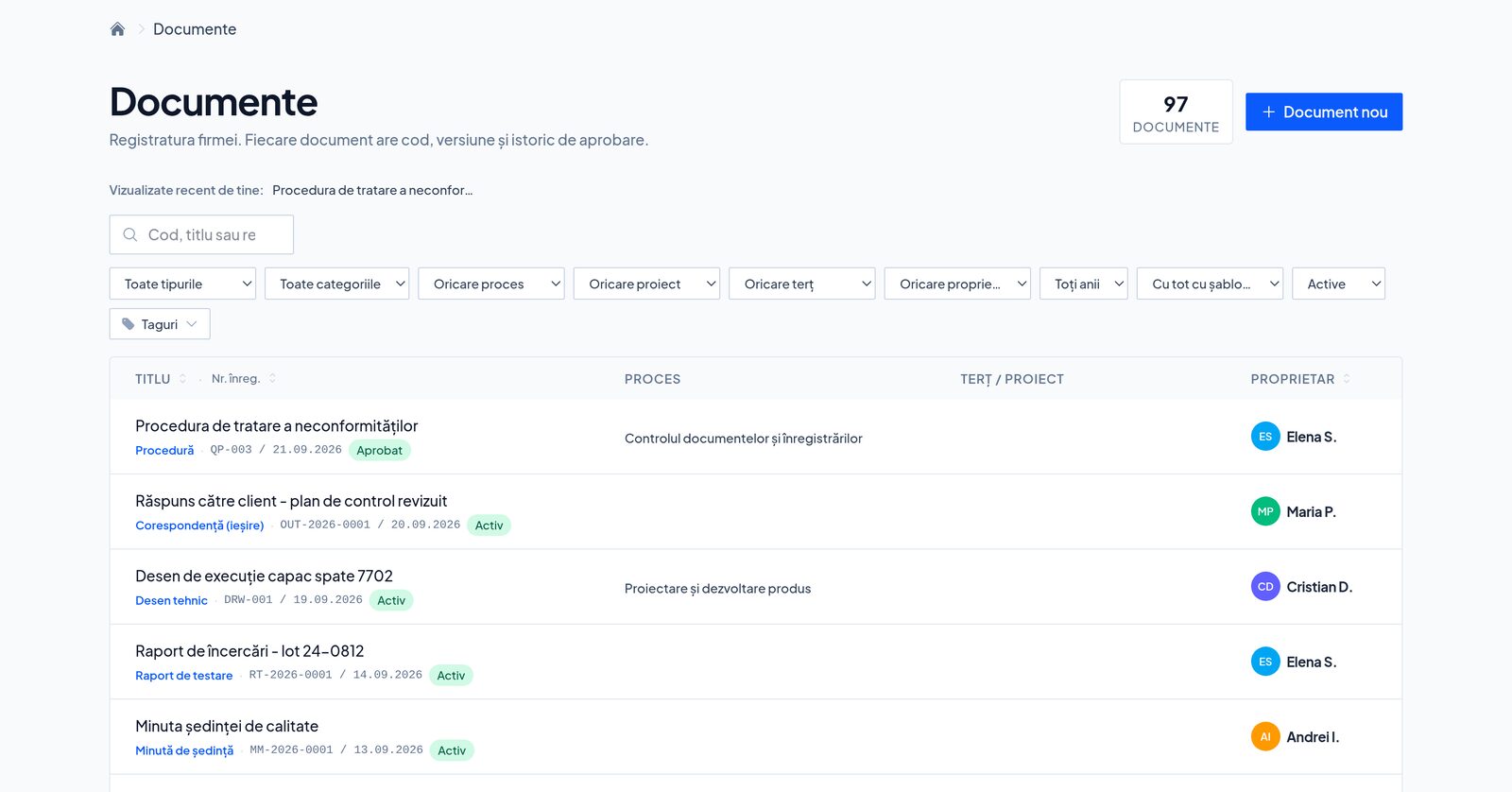
You press “New revision”. The code, the version number, the history, the approver and the notifications write themselves. The old version stays in the history, marked.
Document QP-003 at version 2.0, approved, with the next review scheduled

The change reaches people, with proof.

Today
An e-mail with an attachment and the hope that somebody opened it.
In Clarity
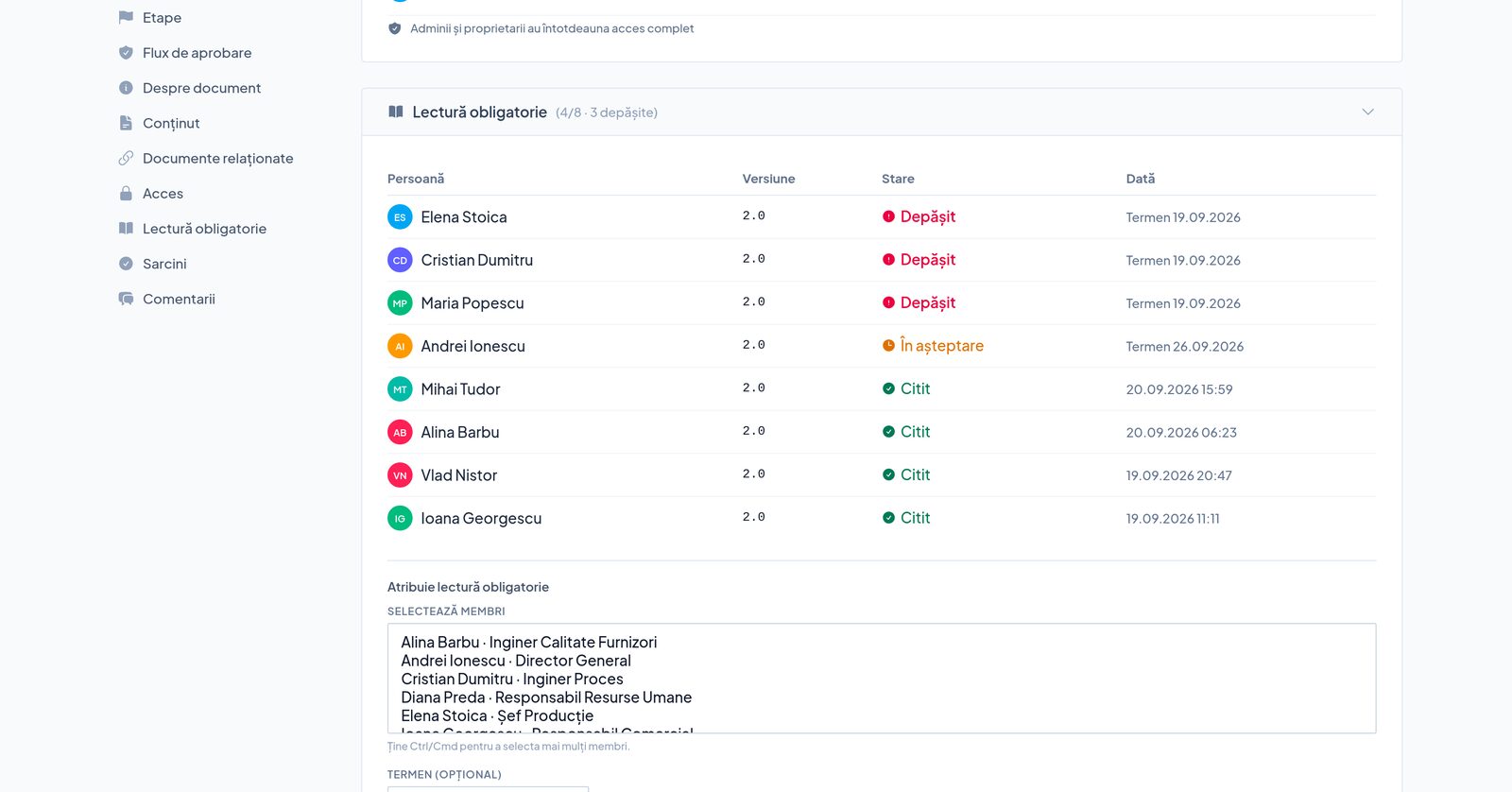
The people named get a notification and confirm on the new version. Confirming does not work without opening the document. Whoever has not read it is on a list.
Required reading: four of eight have read, three are overdue

Deadlines come looking for you.

Today
An Excel sheet you open too late.
In Clarity
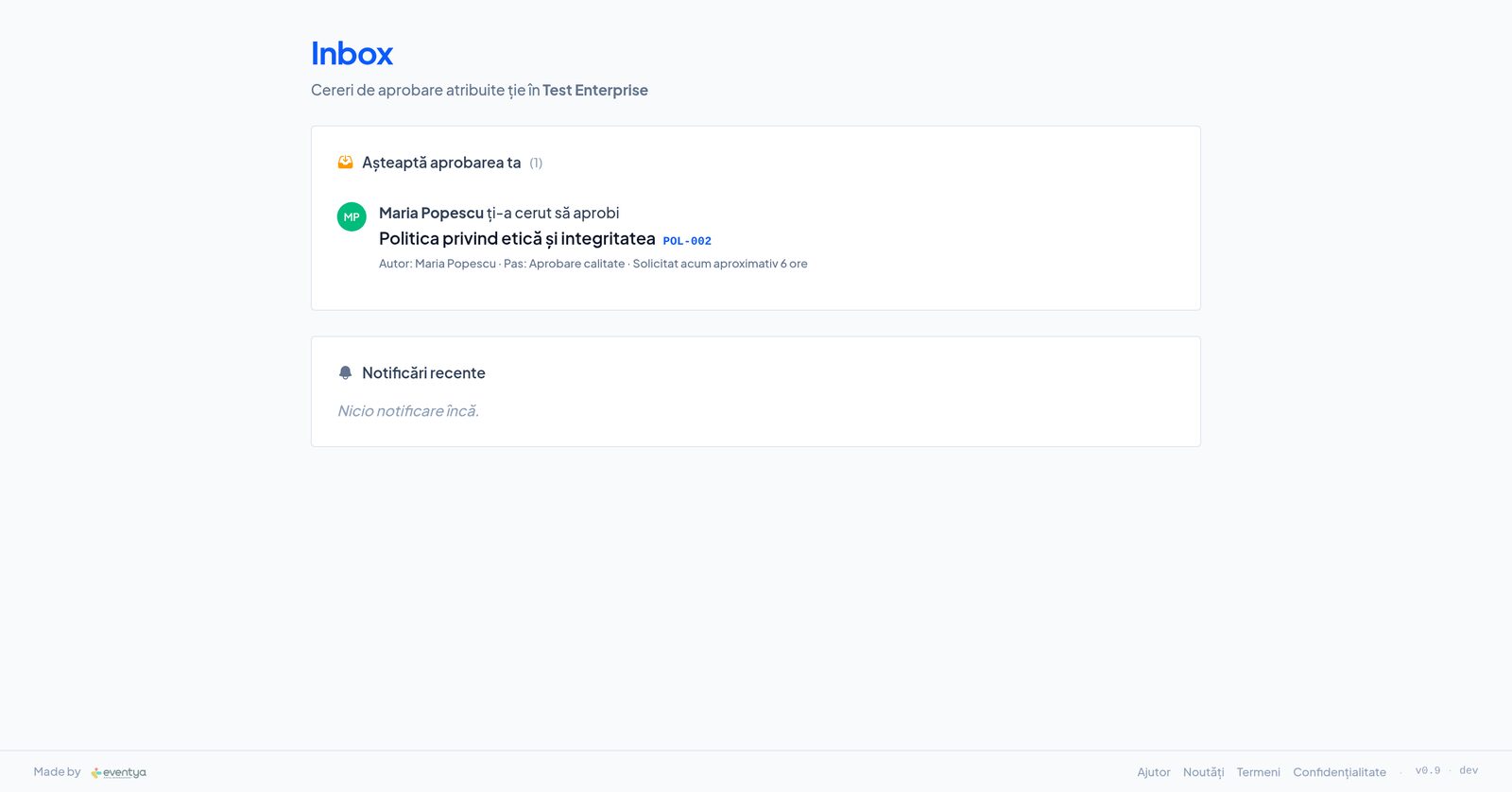
An alert 30 days ahead, repeated weekly until it is done or skipped with a reason. Once past due, the manager hears about it too. Reviews, calibrations, audits, maintenance, contracts.
The inbox with calibration and review notifications

The complaint, the NCR and the 8D are one file.

Today
Three files tied together by a hand-written number.
In Clarity
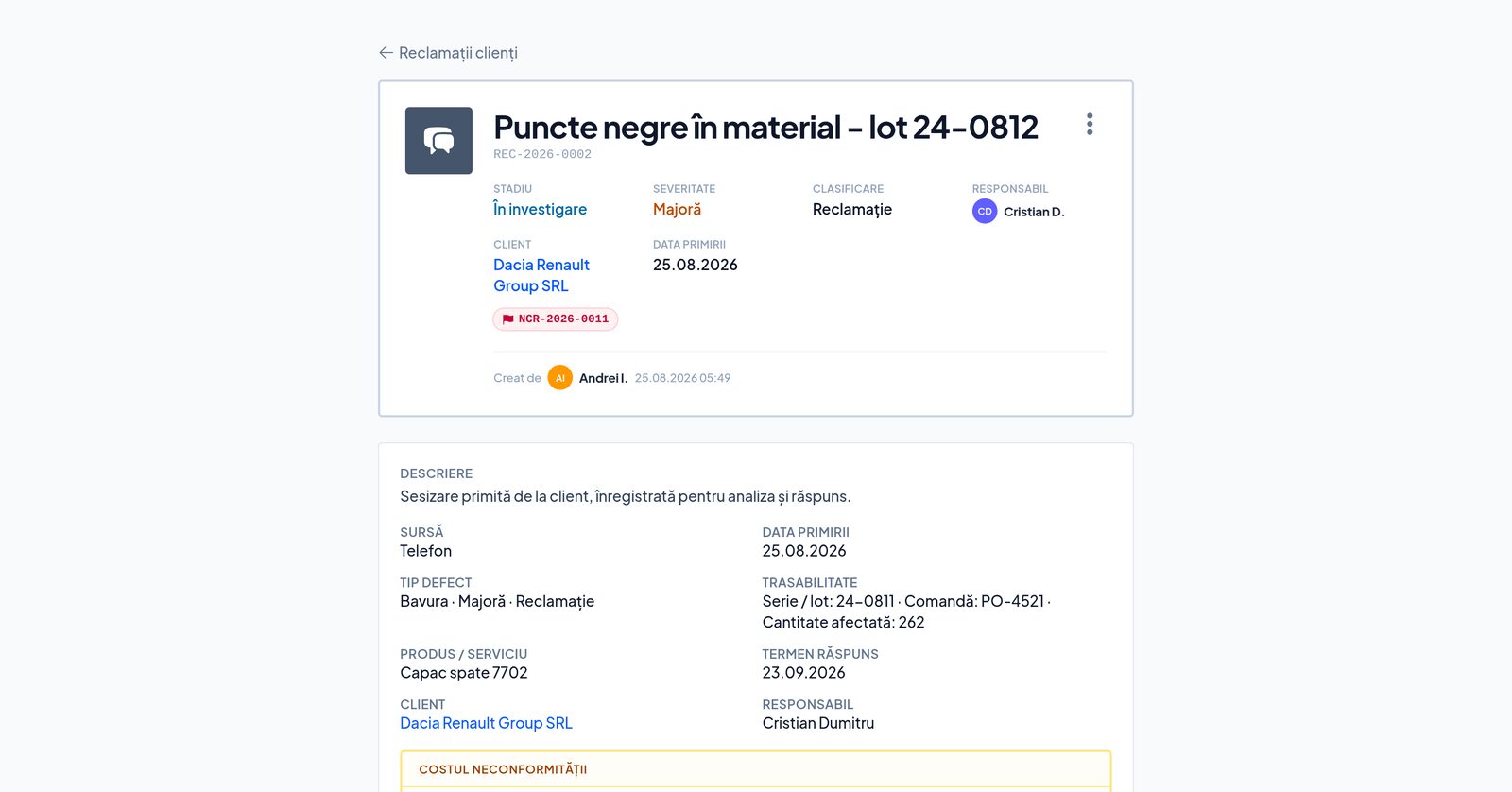
The complaint gets a response deadline on registration and opens the NCR or the 8D with one button, linked both ways. The clock runs by itself: 24 hours, 14 days, 30 days.
A complaint with a response deadline, severity and the NCR opened from it

The management review writes itself from data.

Today
A week of copying figures from one file to another.
In Clarity
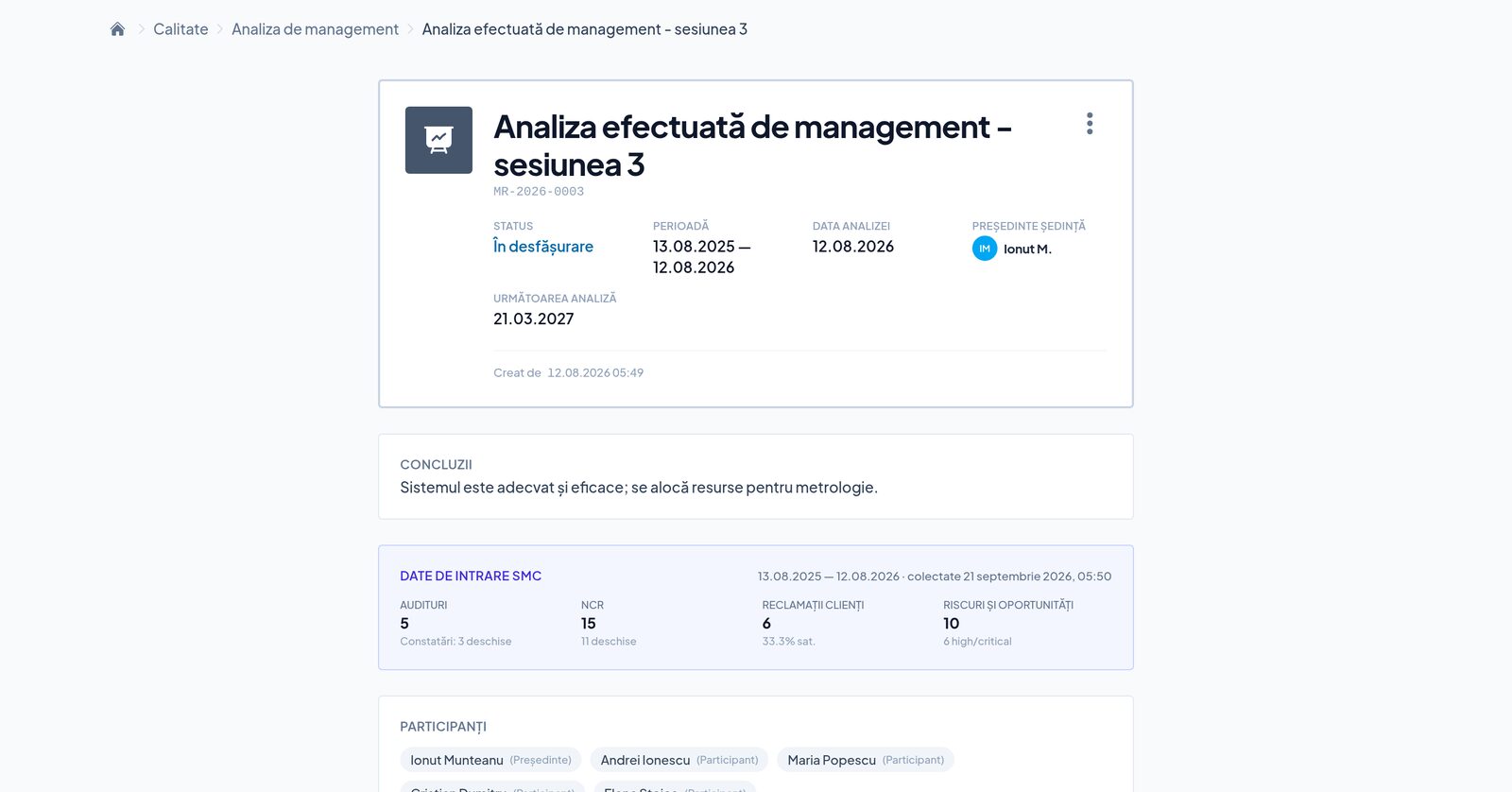
Ten areas collected automatically for the period under review, from audits and complaints to objectives and suppliers. The report is generated as a controlled document. Decisions become actions with an owner and a deadline and come back at the next review.
The management review with its inputs collected from the system

The week before the audit disappears.

Today
Evidence is hunted, filled in after the fact, printed.
In Clarity
One report says what is missing, what is not closed and what expires within 30 days, with the clause next to every figure. Every figure opens the list behind it.
The quality report, with the clause next to every gap

Production

For the IATF plant, on top.

The complaint has a clock, the 8D has revisions.

Response deadline from the moment of registration, 3D in 24 hours, 5D in 14 days, 8D in 30, all configurable. Team, containment across four locations, 5 Why. The report sent to the customer is frozen, with a revision number and a reason.

Maintenance on the hour meter.

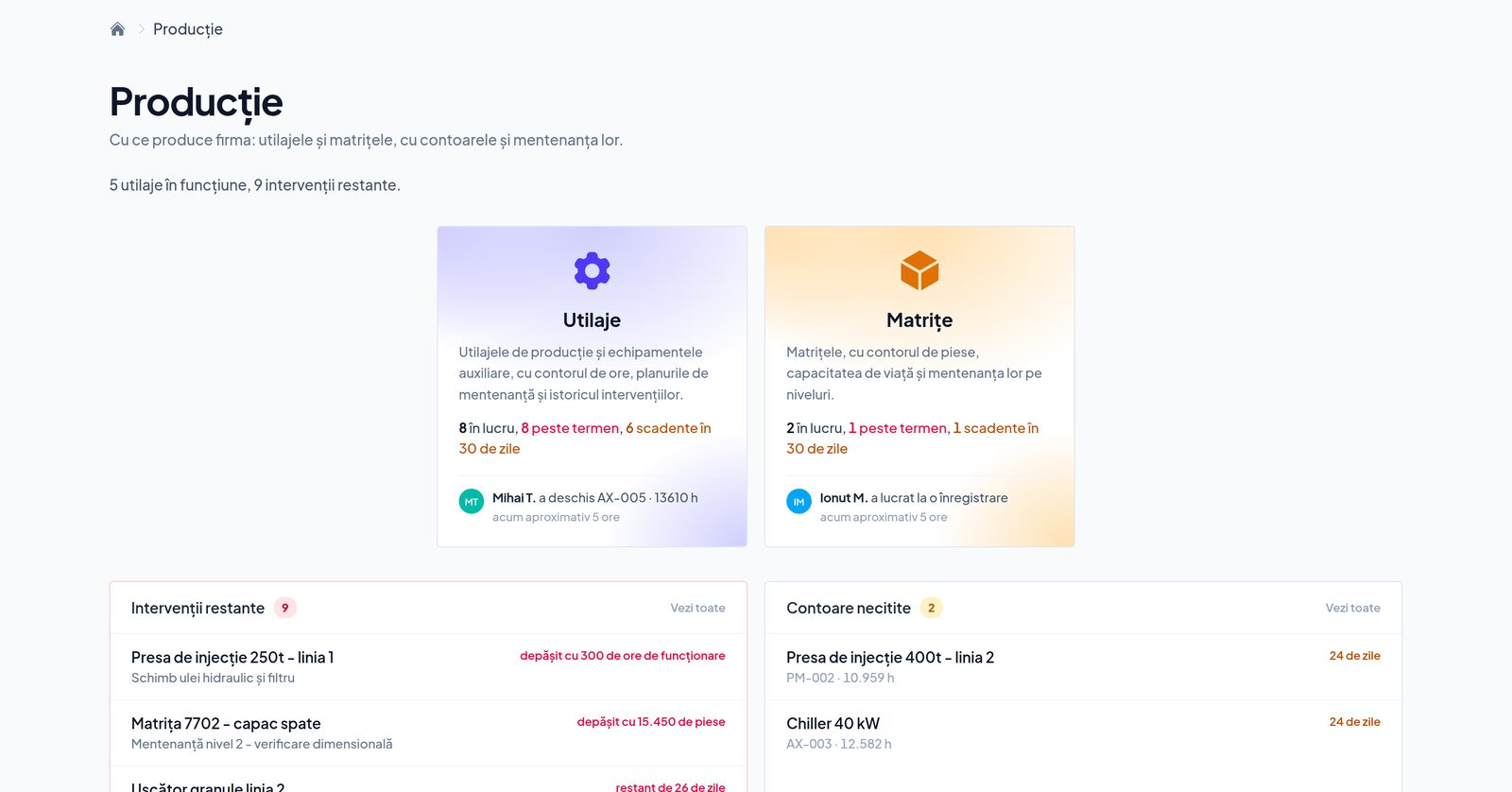
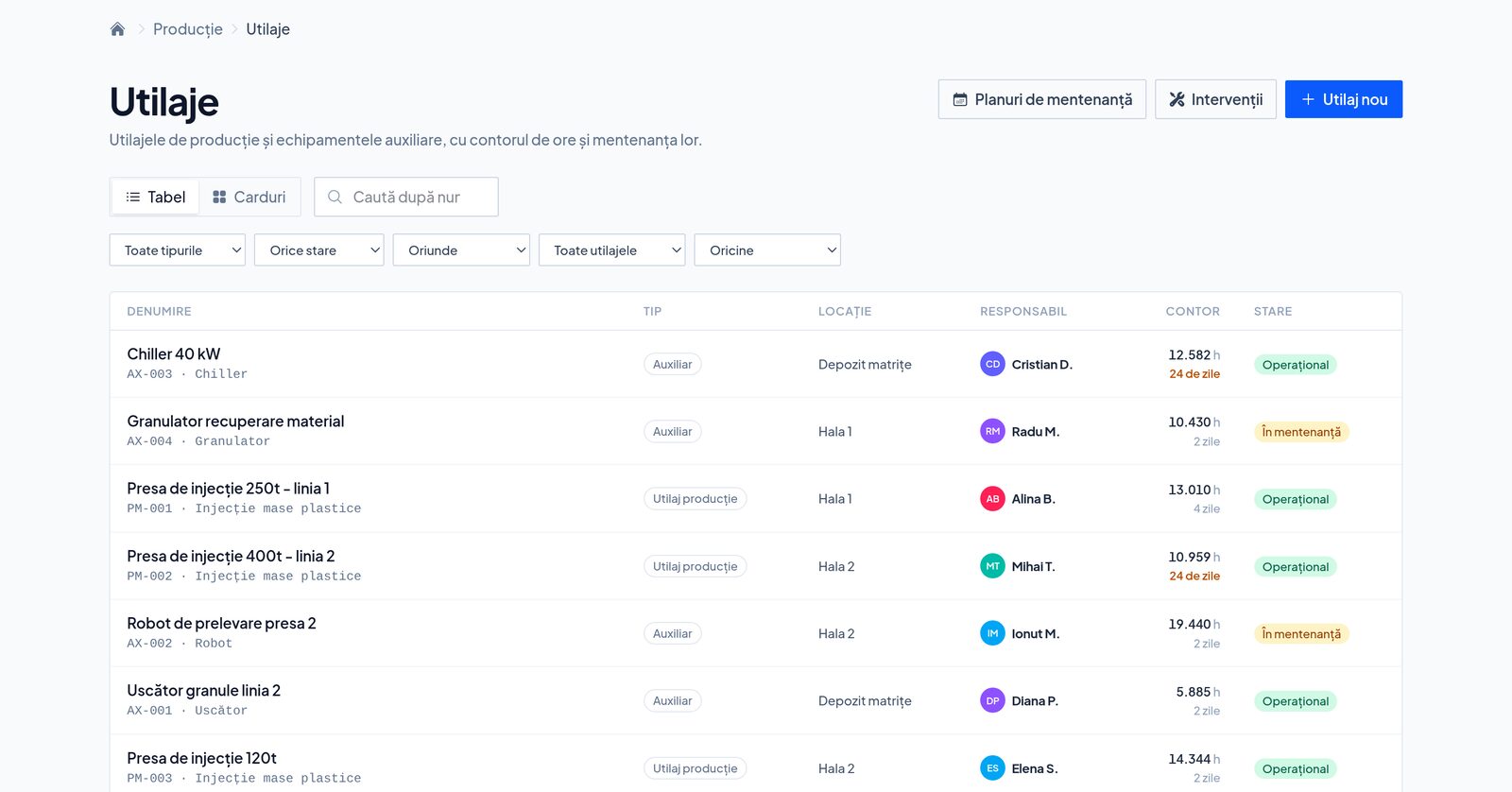
A plan is written once and applied to every machine that runs it. Each one has its own due point, by hours or by calendar, whichever comes first. Failures, MTTR, MTBF, downtime and availability, computed from readings. Key equipment without spare parts, in plain sight.

The certification body's nonconformities, answered here.

Import their file, answer every NC, export the completed file plus a ZIP with the evidence ordered per NC and per step. Uploading to the IATF portal stays with you.

The production panel: machines and moulds, with overdue interventions and unread counters

Why it exists

I built it for my own plant. We use it every day.

„I own a plastics injection moulding plant, 4M MP, certified IATF 16949, and a software company, Eventya, certified ISO 9001. We kept the standard the way everybody does: in Word, in Excel, on a server, and in the head of one person who kept them in sync. I built Clarity so the standard would live in the app, not in our discipline: a procedure is revised with one button, whoever has to read it finds out by themselves, deadlines come looking for me, nobody approves their own document, and the audit's nonconformities are answered from here, not from Excel. We use it every day, on the shop floor and in the office. What it does not do yet is written below.”
Ionuț Munteanu · managing director, 4M MP and Eventya
The document register
The machine register

The modules

Eight modules. Take as much of each as you need.

A module is a standard kind of work a firm does, and a submodule is what can be bought on its own: you can have Quality without all of it. A new account starts with its modules off — you switch on what you use, from Settings.

in every package

Documents

The firm's register. Every document carries a code, a version and an approval history.

in every package

Counterparties

The companies you work with — customers, suppliers, partners — and the people in them.

in every package

Processes

How the firm runs, on paper and in practice: its processes, their owners and indicators.

in every package

Projects

Work with a beginning and an end, with milestones, owners and documents of its own.

In Standard and Enterprise
APQP
in every package

Tasks

Somebody does something by a date, and it shows whether they did. With steps, a person on each, with or without a project.

Commercial

What you offered and what you signed: the offer pipeline and the contract register.

In every package
Offers · Contracts
In Standard and Enterprise
Opportunities

Production

What the firm makes things with: the machines and the moulds, with their counters and their maintenance.

In Standard and Enterprise
Machines · Tooling

Quality

The system that keeps things right — and the evidence an auditor asks for.

In Standard and Enterprise
Audits · Measuring equipment · Supplier evaluation · Objectives and KPIs · Risks and opportunities · Management review · Improvements · Changes · Training and competence

Problems

What went wrong, wherever it came from, at four depths of investigation.

In every package
Issues & bugs · Internal nonconformities · Customer complaints
In Standard and Enterprise
8D reports · Supplier claims

Everywhere in the product

What isn't a module, and still comes with every package.

Change history

Who changed what, and when, written by itself on every record — the history opens from the record's own page.

Comments and mentions

The conversation sits on the record, not in an inbox. A mention sends the notification to the person called.

Notifications and inbox

What you are waiting on from other people, and what they are waiting on from you — in the app and by email.

Global search

⌘K, type the code or the title, and you are there. It searches the whole account, not just the register you have open.

Guidance in the app

Submodules each carry their own Learn page, opened from the screen you are on.

Romanian and English

The same application in both languages, switched from your profile without losing the page.

Honestly

What it does not do yet.

The list is public and I keep it current. I would rather you read it here than discover it at the audit.

What was added, week by week, is under What's new →

Packages

Three packages, two of which open the same modules.

The price is per site: one location, one account. Unlimited users on every package. The 14-day trial runs with Standard entitlements, no card.

Standard is the package for the IATF plant. Small Business is for the ISO 9001 firm that is starting out.

Small Business

€49 /month

per site, billed monthly by card

Try free for 14 days
  • 50 new documents per month
  • Unlimited users
  • The base platform: documents, counterparties, processes, projects, offers and contracts
  • QMS modules: Internal nonconformities · Customer complaints · Issues & bugs

Standard

Most popular
€149 /month

per site, billed monthly by card

Try free for 14 days
  • Unlimited new documents
  • Unlimited users
  • Everything in Small Business
  • All 18 modules, switched on from Settings as you need them

Enterprise

Priced by contract

annual contract, billed by invoice

Let's talk
  • The very same modules as Standard, with no document limit
  • Several sites under one contract and one invoice
  • Data migration, onboarding and training
  • The account never stops when a trial runs out: it runs on the contract, not on a card

Standard and Enterprise open exactly the same modules, and neither has a limit on documents or users. What differs is the contract: Enterprise holds several sites together, is billed by invoice and does not depend on a card.

Questions

Frequently asked questions

What does “per site” mean?

A site is a location — a plant, a facility — and one account goes with it. Exactly like certification: the audit is per site, so is the price. A company with a single plant has a single subscription.

How does the 14-day trial work?

You create an account without a card and for 14 days you hold Standard entitlements, which means any module can be switched on. You pick a template at signup, so the account does not start on a blank page.

What happens if the 14 days pass and I have not picked a package?

The account turns read-only: the data stays where it is and can still be read, but nothing new is created. Pick a package and the work carries on where it stopped.

Can I change package later?

Yes. Move from Small Business to Standard inside the app; for Enterprise we talk and sign. If you go down a package, the modules it no longer covers stay read-only — nothing is deleted.

What is the difference between Standard and Enterprise?

Not the modules: they are exactly the same, and neither package limits documents or users. Enterprise is the commercial shape — several sites under one contract, billing by invoice instead of card, data migration and training.

Do we need IT to get started?

No. Clarity runs in the browser, nothing to install. You pick a template at signup and the account arrives with starting processes, procedures, objectives and risks, which you then change as you like.

What happens to my documents if I leave?

They stay yours. Projects export with their documents from one place, and the files download whenever you want them.

How do I pay?

Small Business and Standard — by card, monthly, leave anytime. Enterprise — by invoice, on an annual contract.

I am a consultant with several clients. Does it work?

Yes. You are a member of each of your clients' accounts, with one sign-in and one inbox per account. Each client has their own subscription. There is no consultant package yet; if you have ten clients, write to us.

Can I import what I already have in Excel?

Yes, from .xlsx. Pick the sheet, check the preview, confirm. Columns are recognised by their header, in Romanian or English, document types are mapped, and whatever already exists is skipped.

Is there a demo account?

Not yet. The 14-day trial starts from a template with processes, procedures, objectives and risks, so you see the product with data in it, not empty. If you want a walkthrough on your own data, write to us.

Where do I keep the files we edit together?

Where you keep them now, with a link in Clarity. What goes into Clarity is the final version: the signed PDF, the approved procedure, the certificate. Clarity is not a collaborative editor and does not want to be.

Fourteen days, no card, with everything Standard has.

If it is not for you, the account turns read-only and the data stays yours.

Try free for 14 days →